 mind5 apps
Never lose count again
Row Counter counts the rows of your knitting and crochet projects. Tap anywhere on the screen, with a fingertip, a knuckle or the end of your hook, or just say “next”. Your hands stay on your needles.
For iPhone and iPad · first month free, then a monthly subscription
What makes it different
Tap anywhere
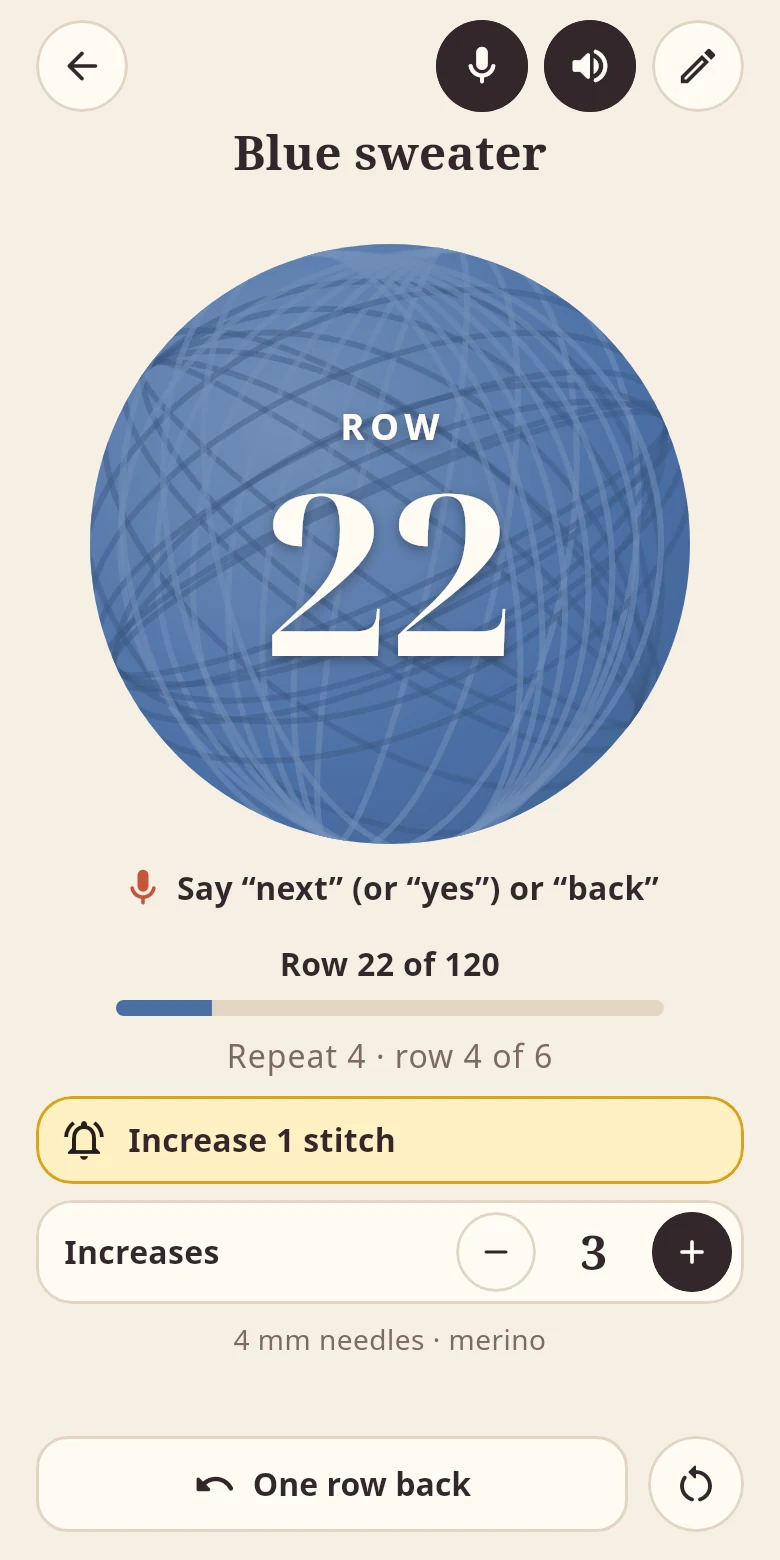
A big ball of yarn shows the row you are working on. A tap anywhere on the screen counts the next one. Every tap can be felt, and the screen stays on while you count.
Count hands-free
Turn on voice control and say “next” or “yes” for the next row and “back” to take one back. Speech is recognised on your iPhone; nothing you say is sent anywhere.
Counts aloud
If you like, the app says the new row out loud, together with what is due in it.
Repeats and reminders
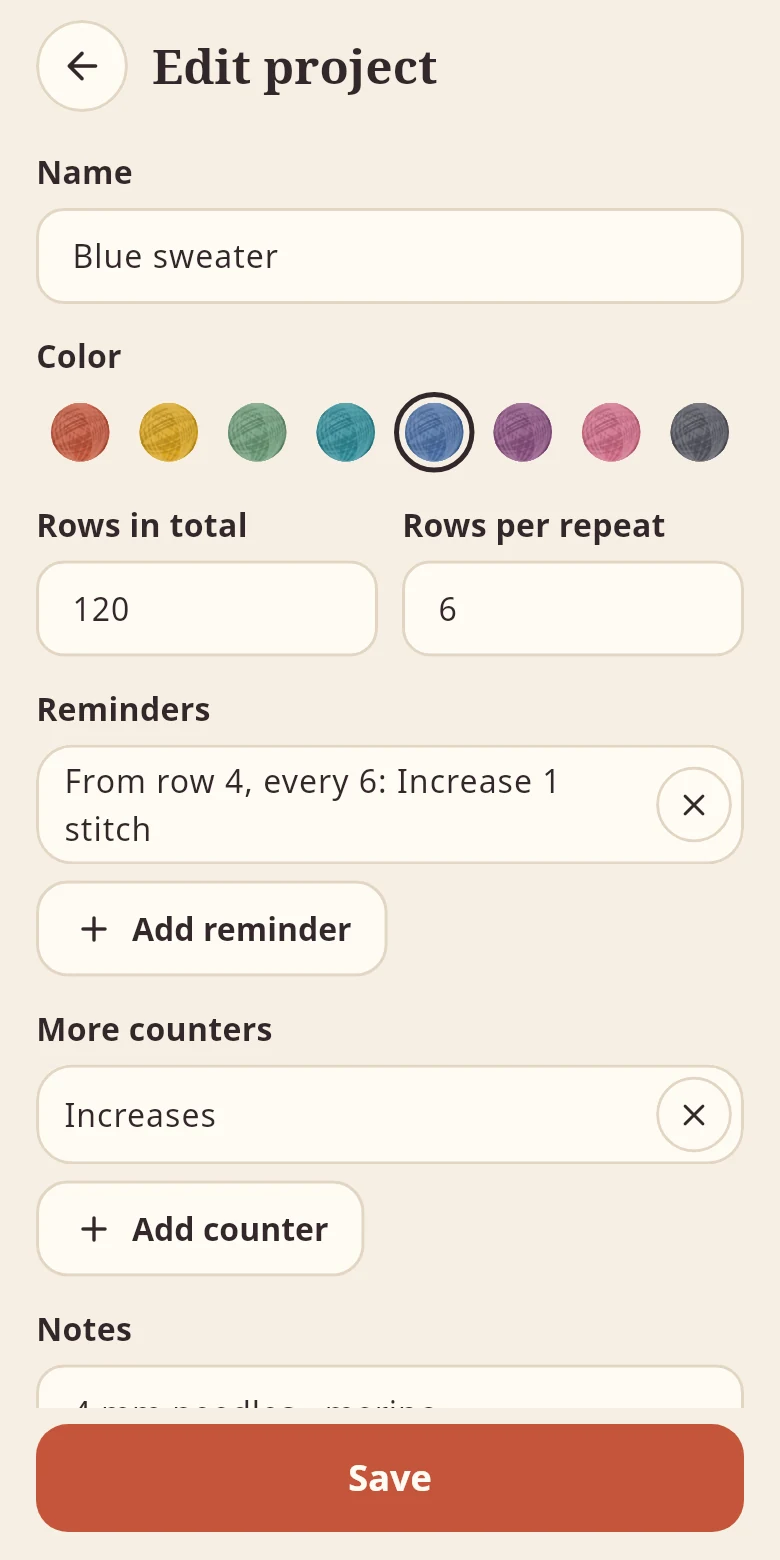
A target row with a progress bar, rows per pattern repeat and reminders like “From row 4, every 6: Increase 1 stitch”. Plus up to three more counters and notes.
All your projects
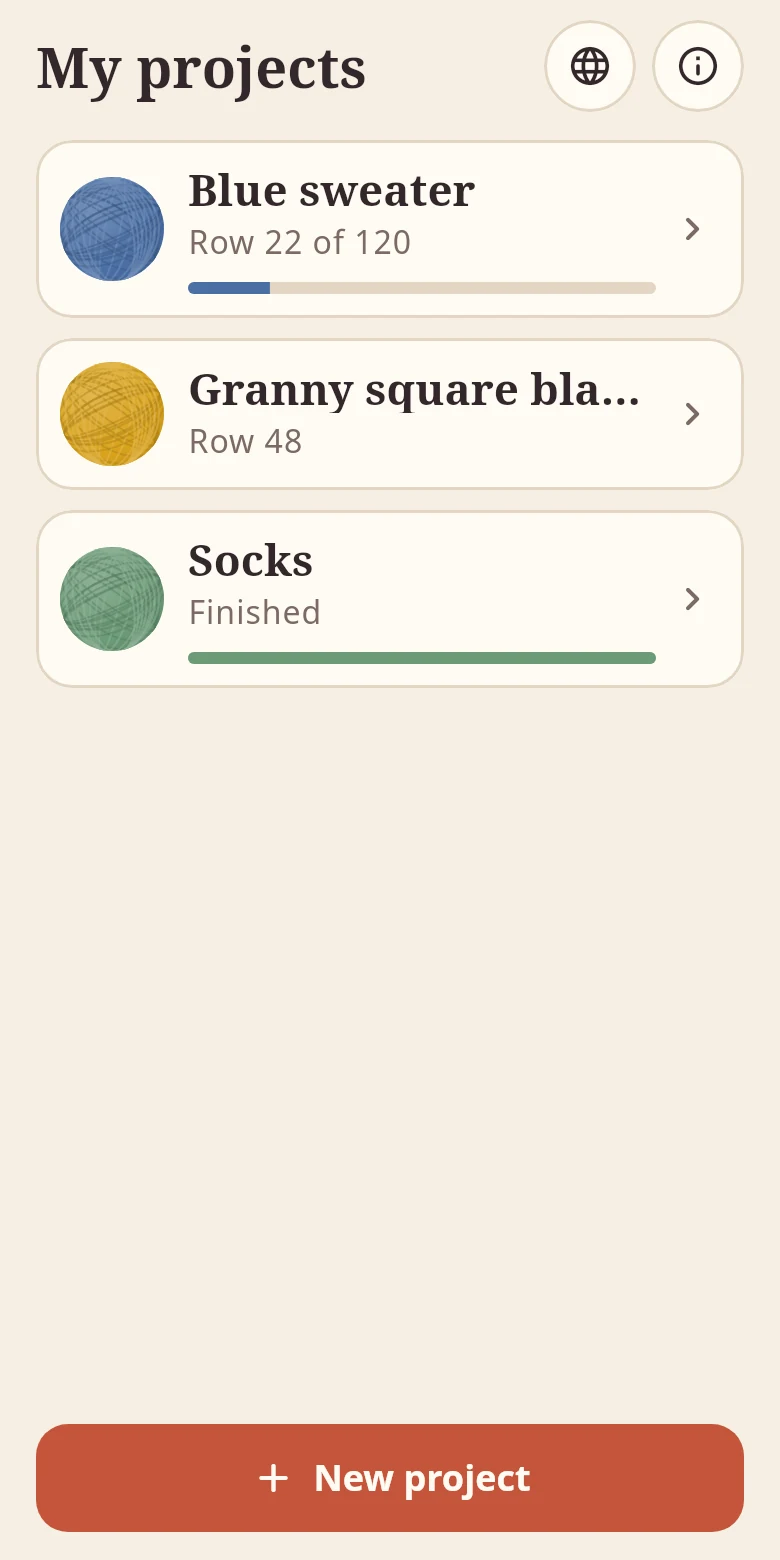
Every project has its own count, its own yarn colour and its own notes. The one you used last is on top, and a finished one shows a tick.
In seven languages
English, German, Spanish, French, Italian, Dutch and Portuguese, with large numbers you can read from your lap.
Subscription and privacy
You can try the app free for one month. After that it costs $9.99 a month; prices in other currencies are shown by the App Store before you subscribe. The subscription renews automatically and can be cancelled at any time in the App Store settings.
Your projects stay on your device. The app needs no account, shows no ads and does not track how it is used. The details are in the privacy policy. Apple’s standard terms of use apply.
Questions
Does the app count rows or stitches?
Rows, or rounds when you crochet in the round. For stitches, increases or decreases, every project can have up to three more counters.
Which words does voice control understand?
In English “next”, “plus” and “yes” for the next row and “back” or “undo” to take one back. In the other languages the matching words; the screen shows what you can say.
Does voice control work without the internet?
The app recognises speech on the device only. Whether an iPhone can recognise a language by itself depends on the device; if it cannot, the app says so, and tapping works just the same.
Which devices does the app run on?
iPhone and iPad with iOS 15 or later.
How do I cancel the subscription?
On your iPhone or iPad: Settings → your name → Subscriptions → Row Counter → Cancel. More on the support page.