 mind5 apps
Spelling words, practised until they stick
Spelling Practice for Kids is a learning app for children from about 6 to 11. It makes new word lists in five levels, as often as you like, or you type in the words from school. The app reads each word aloud, your child writes it, and mistakes are shown letter by letter.
For iPhone and iPad · 1 month free, then a monthly subscription
What makes it work
New word lists in five levels
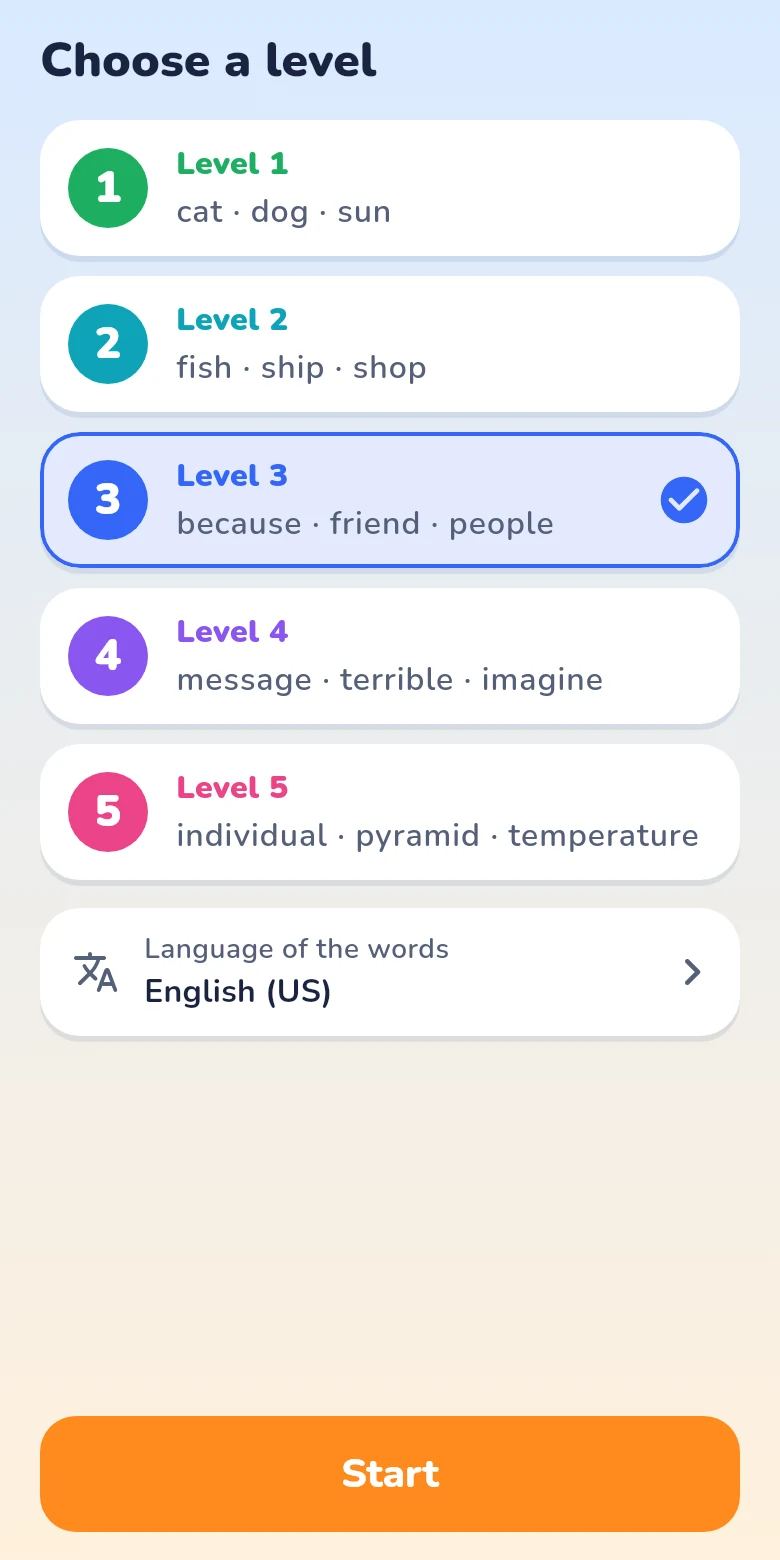
One tap, and the app makes a new list of ten words, as often as you like. Five levels, from first words to the ones adults get wrong.
Your own word lists
Type in the words from school, or paste them. As many lists as you like, up to 40 words each. A tap on a word reads it aloud.
Three steps to the test
Listen and spell, look and copy, then a test like at school. The voice dictates slowly and clearly.
Mistakes, letter by letter
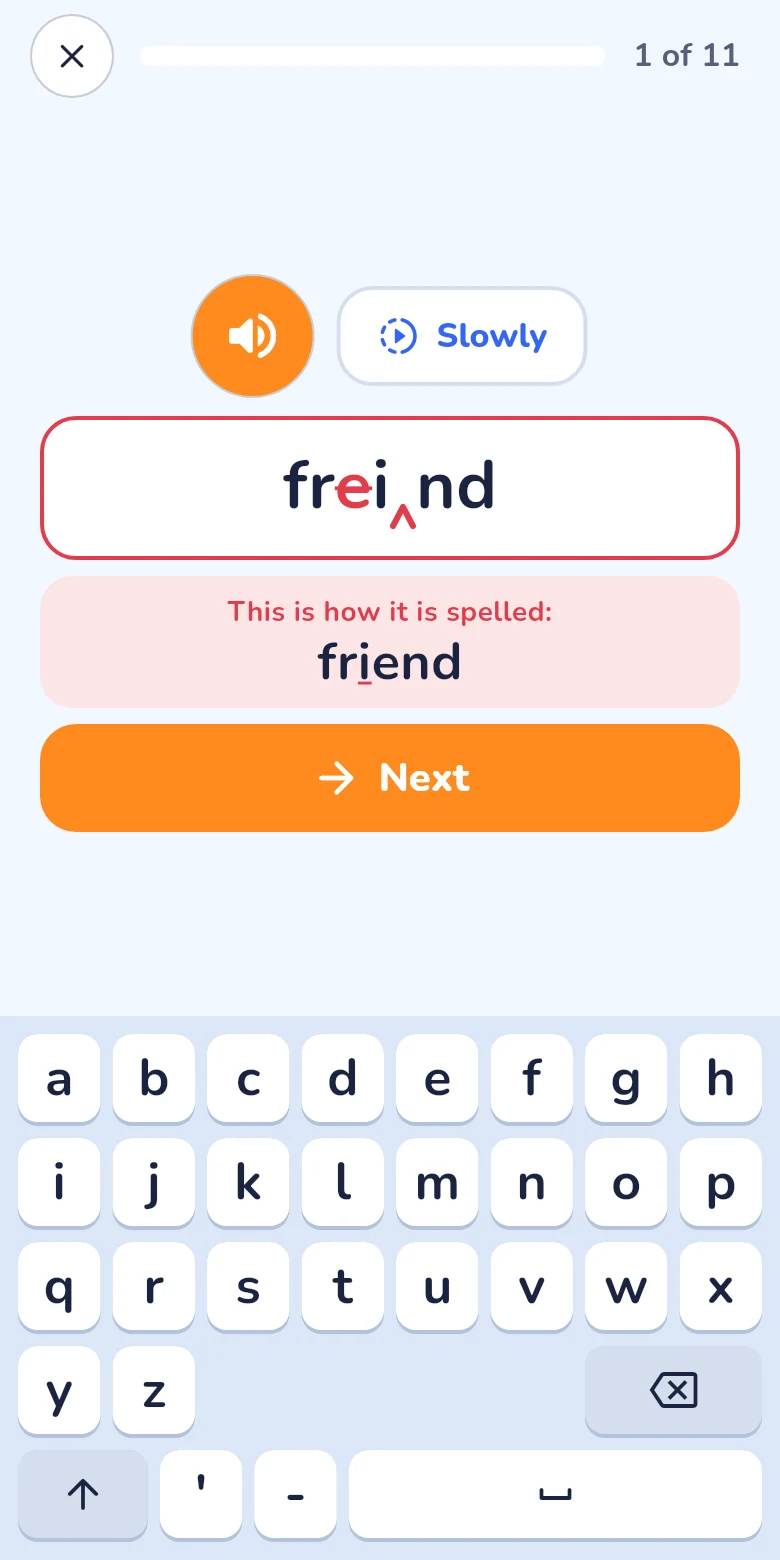
A wrong letter is crossed out in red, a missing one is marked. The right spelling is shown just below, and the word comes back at the end.
A keyboard that does not help
The app has its own keyboard with large keys in alphabetical order. It corrects nothing and suggests nothing, so what is written is what your child knows.
Nine languages for the words
English (US and UK), German, Spanish (Spain and Mexico), French, Italian, Dutch and Portuguese, each with its voice and its own letters. Every list has its own language.
Made for children
No ads, no tracking, no account. The word lists and results stay on the device.
How a list is practised
Listen and spell
The app dictates. Your child has one try; a mistake is marked at once and the spelling is shown. Words that were wrong come back at the end.
Look and copy
The word is shown, then hidden while your child writes it from memory.
Test
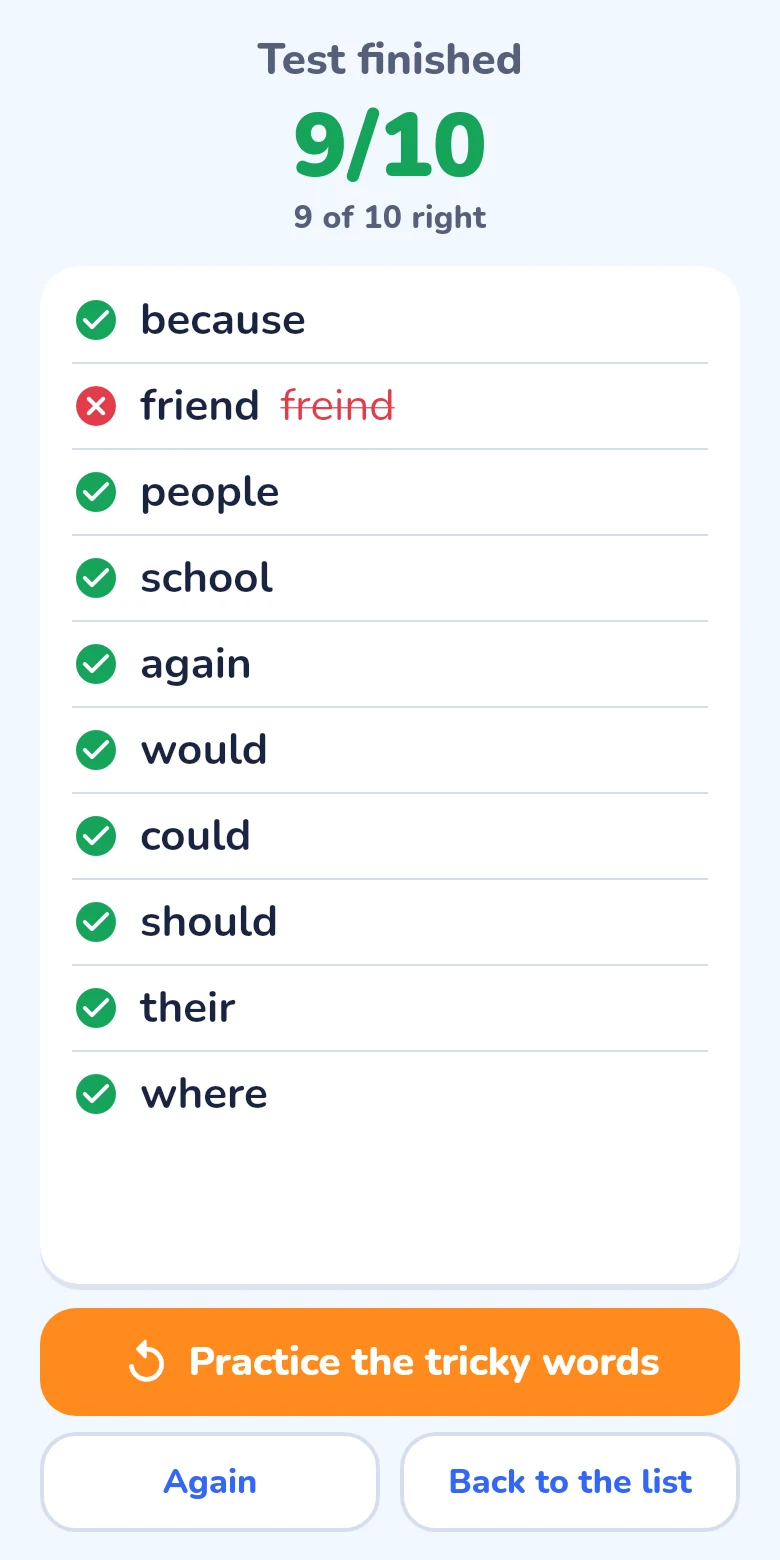
Every word is dictated once. The result comes at the end, word by word, with the mark of the best test kept on the list.
For parents
The app can be tried free for one month. After that it costs €9.99 or $9.99 per month; prices in other currencies are shown in the App Store before you subscribe. The subscription renews automatically and can be cancelled at any time in the App Store settings.
The app shows no ads, needs no account and passes nothing about your child to anyone. Details are in the privacy policy. Apple’s standard terms of use apply.
Questions
For which age is the app?
For children who are learning to spell, usually between 6 and 11. With the lists of the app your child can start at once; typing in a list of your own is a job for a parent or an older child.
Which level fits my child?
Every level shows three example words. Pick the one whose words your child is learning now; the level can be changed on the start screen at any time. A level has 250 words in each language, enough for 25 lists; when they are used up, it starts over.
Does it work for the vocabulary of a foreign language?
Yes. Every list has its own language, so a list of French or English words is read by a French or English voice and written on a keyboard with the letters of that language.
Do capital letters count?
Yes. “monday” for “Monday” counts as a mistake, and the app says that only the capitals are wrong.
Which devices does it run on?
On iPhone and iPad with iOS 15 or later.
How do I cancel the subscription?
On your iPhone or iPad: Settings → your name → Subscriptions → Spelling Practice for Kids → Cancel. More on the support page.